
Apple CarPlay and Android Auto have become essential: Waze or Google Maps, Spotify, messages read aloud… But depending on the year and model of your Mazda, you may not have CarPlay at all, or only a wired version. The good news: in most cases there is a simple solution. Here is how to find the one that suits you.
Step 1: find out what your Mazda already has
It all depends on your starting point. There are three cases:
- Your Mazda has the Mazda Connect screen with the control knob, but no CarPlay: this is the case for many early Mazda 2, Mazda 3 (2013–2018), Mazda 6, CX-3, CX-5 and MX-5 models.
- Your Mazda has CarPlay and Android Auto, but only with a cable: this is the case for most recent Mazdas, such as the Mazda 3 BP (since 2019) or the CX-30.
- Your Mazda already has factory wireless CarPlay: you have nothing to add.
To check: plug your phone in via USB. If CarPlay or Android Auto appears, you are in case 2. If nothing happens, you are probably in case 1.
Case 1: Mazda Connect without CarPlay
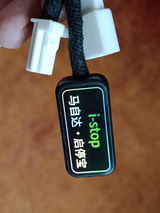
On these models, phone projection goes through the USB unit in the centre console (part number TK78669U0C). By replacing it with a compatible hub, you unlock CarPlay and Android Auto on the original screen.
Our CarPlay and Android Auto kit with OEM-style USB hub comes in two versions:
- P2 wired: CarPlay and Android Auto with the USB cable.
- P3 wireless: wireless CarPlay and Android Auto; the phone connects by itself.
The fitting is OEM-style: nothing shows once the console is back in place. A version with trim removal tools is available.
Good to know before installing
- Update required: Mazda Connect must be on version 70 or higher. The instructions explain how. Never interrupt an update in progress.
- Knob control: on these models, Android Auto is controlled with the knob, not the touchscreen.
- Wireless Android: only choose the P3 version if your Android phone supports wireless Android Auto.
Installation in 4 steps
- Update: check your Mazda Connect version and update it if it is below 70.
- Removal: unclip the console to reach the original USB hub.
- Replacement: plug the new hub in place of the old one, then refit the console.
- Activation: plug in your phone (or pair it over Bluetooth for the wireless version) and follow the on-screen instructions.
Case 2: factory wired CarPlay
Your Mazda already shows CarPlay or Android Auto, but you have to plug in the cable on every trip? A wireless CarPlay / Android Auto adapter is all you need.
- Plug & play: it plugs into the car's CarPlay USB port, with no dismantling and no app.
- Automatic connection: after the first pairing, your iPhone or Android reconnects by itself every time you start the car.
- Less wear: no more repeated plugging into the USB port.
It works on any Mazda fitted from the factory with wired CarPlay or Android Auto: Mazda 3 since 2019, CX-30, CX-5, MX-5 and other models with this feature. It is not suitable for a Mazda without factory CarPlay (see case 1).
Wired or wireless: which to choose?
- Wireless is ideal for short, frequent trips: you get in, everything starts, and your phone stays in your pocket. On the other hand, the phone battery drains faster and the connection takes a few seconds at start-up.
- Wired charges your phone while you drive and connects instantly: handy for long journeys.
Many drivers go wireless day to day and keep a cable in the glovebox for long trips.
Frequently asked questions
Does it work with Android too?
Yes: both the USB hub kit and the wireless adapter support CarPlay (iPhone) and Android Auto (compatible Android phones).
Do I need to go to a dealer?
No. The wireless adapter plugs in within seconds. The USB hub kit needs a little dismantling, which you can do yourself with the instructions.
I am not sure which solution to choose
Send us your Mazda's model and year via the contact page: we will tell you which solution fits before you order.
Find all our multimedia solutions in the Mazda Features collection.